
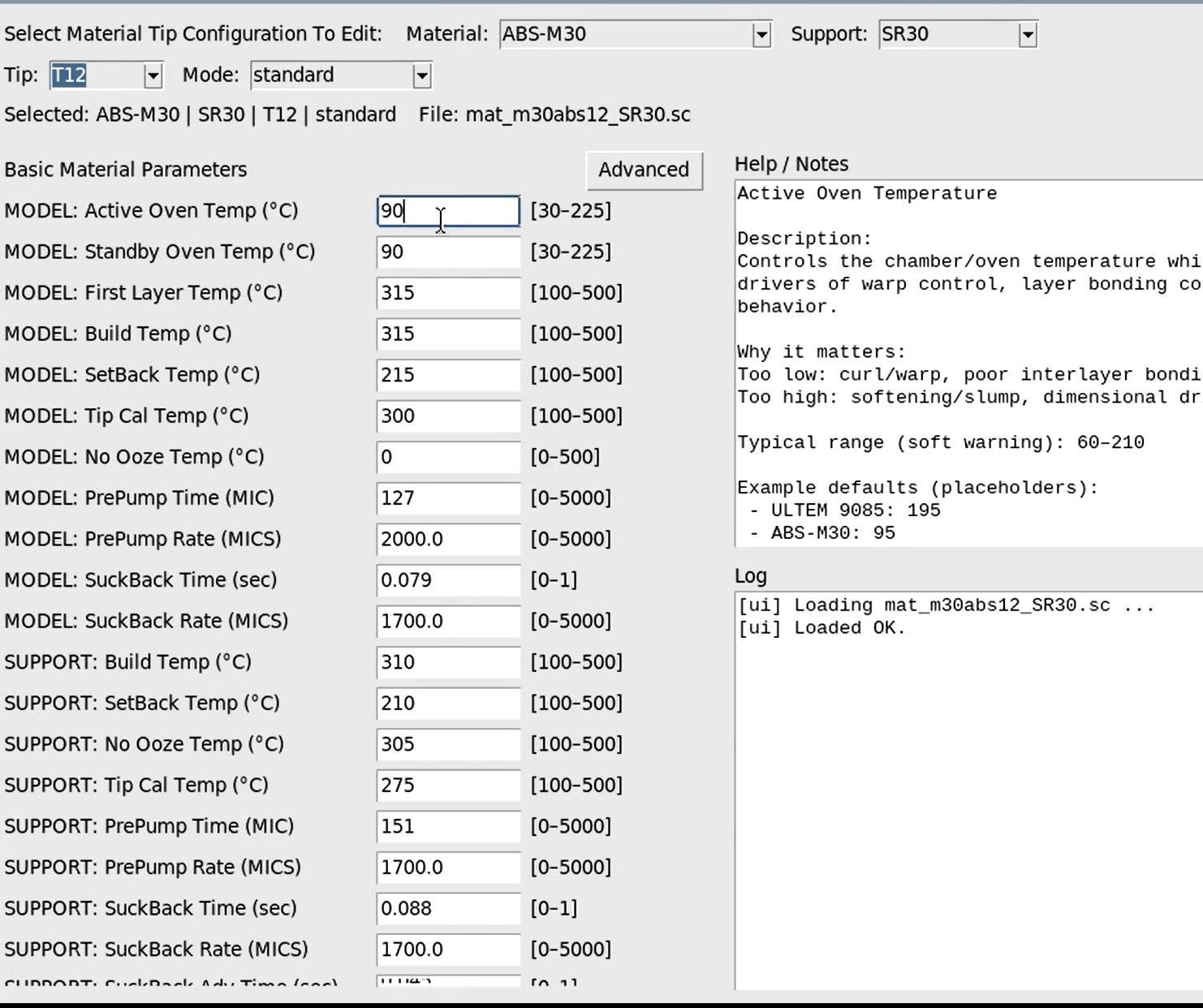
Parameter Manager for Stratasys® Fortus® FDM Machines

Material Parameter Manager — Controlled Material Tuning on Industrial FDM Systems
The NEXT 3DP Material Parameter Manager gives you direct access to material temperature and process settings on industrial FDM systems manufactured by Stratasys®. If you want to run custom filament, modify print behavior, or build repeatable material profiles — this is the tool that makes it possible.
Every industrial FDM printer runs on material parameter files. Those files control:
- Extrusion temperature behavior
- Oven temperature
- Chamber temperature
- Flow behavior
- Retraction and ooze control
- Material-specific tuning values
The Parameter Manager gives you a clean, structured way to view, edit, save, and deploy these settings responsibly — without digging through raw files or guessing at values.
Connects to your Fortus® printer over your existing network (LAN or wireless). Setup is as simple as entering the printer’s IP address. If your Fortus® printer is on the network, you can connect this device.
Ready now: Fortus® 360mc, 400mc, 900mc (legacy systems).
Coming very soon: Fortus® 380mc, 450mc, F900.
If there’s a filament you want to run — you can tune for it
If a material can physically move through the system, you can adjust the printer to run it correctly. That includes:
- ESD variants of standard materials
- Modified ABS or PC blends
- Reinforced grades
- Flexible materials like TPU
- Specialty high-temperature polymers
Some materials require only small extrusion adjustments. Others take time and refinement. We’ve spent months developing TPU profiles ourselves — the difference is having control over the settings.
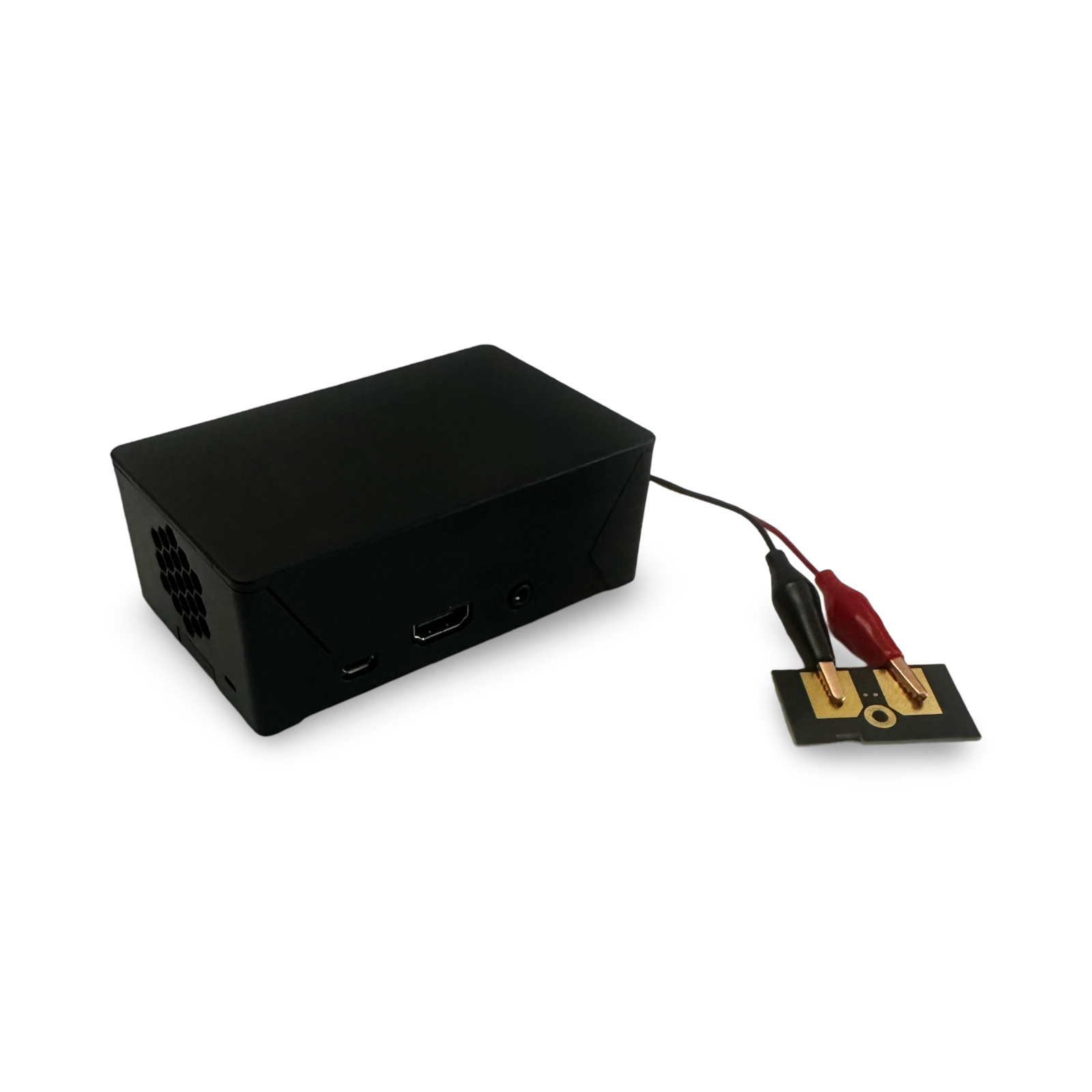
The EEPROM Writer allows the printer to recognize the material. The Parameter Manager allows you to control how the printer runs it.
Simple concept: Recognition + Control = Custom Materials
NEXT 3DP is independently operated and not affiliated with Stratasys. Stratasys®, Fortus®, and OpenAM™ are trademarks of their respective owners and are referenced for identification purposes only.
Compatible systems
- Fortus® 360mc
- Fortus® 380mc
- Fortus® 400mc
- Fortus® 450mc
- Fortus® 900mc
- F900
- (Classic and Plus configurations supported)
Related resources
- Fortus® Material Parameter Manager (Guide)
- OpenAM™ vs independent Fortus® material strategy
- Temperature settings for Stratasys® Fortus® printers
- Fortus® material cost calculator
- EEPROM Solutions (Classic + Plus)
- Fortus® Plus-compatible EEPROM chip
- Fortus® Plus EEPROM Writer
This tool is intended for experienced users. Changing parameter values affects how the machine behaves and should be done responsibly.
Do I need the EEPROM Writer to use this?
Not always — but if you’re running custom materials, EEPROM + parameters is the complete workflow. If your printer requires EEPROM recognition for the configuration you’re deploying, you’ll typically use the Plus EEPROM Writer.
What kinds of materials can be tuned?
If a filament can physically move through the system, parameters can be tuned for it. That includes ESD variants, modified blends, reinforced grades, flexible materials like TPU, and specialty high-temperature polymers.
How does it connect to the printer?
It connects over your existing network (LAN or wireless). Setup is as simple as entering the printer IP address. If your Fortus® printer is already on your network, connecting the device is straightforward.
Which systems are supported today?
Ready now for Fortus® 360mc, 400mc, and 900mc legacy systems. Support for 380mc, 450mc, and F900 is coming very soon.
Is NEXT 3DP affiliated with Stratasys®?
No. NEXT 3DP is independently operated. OEM names are used for identification and compatibility context only.
Can you do the tuning for us?
Yes — we can supply the tool and support your tuning, or handle parameter development as a service depending on your goals. Contact us and tell us what you’re trying to run.
Stratasys®, Fortus®, FDM®, and OpenAM™ are trademarks of their respective owners and are referenced for identification purposes only. NEXT 3DP tools are independently manufactured and are not affiliated with or endorsed by Stratasys Ltd.